New
Lexi just got smarter for HR leaders. Strategic AI that thinks at the level your role demands. See what's new
Lexi just got smarter for HR leaders. Strategic AI that thinks at the level your role demands. See what's new
AI that turns workforce data into decisions that move your business forward.



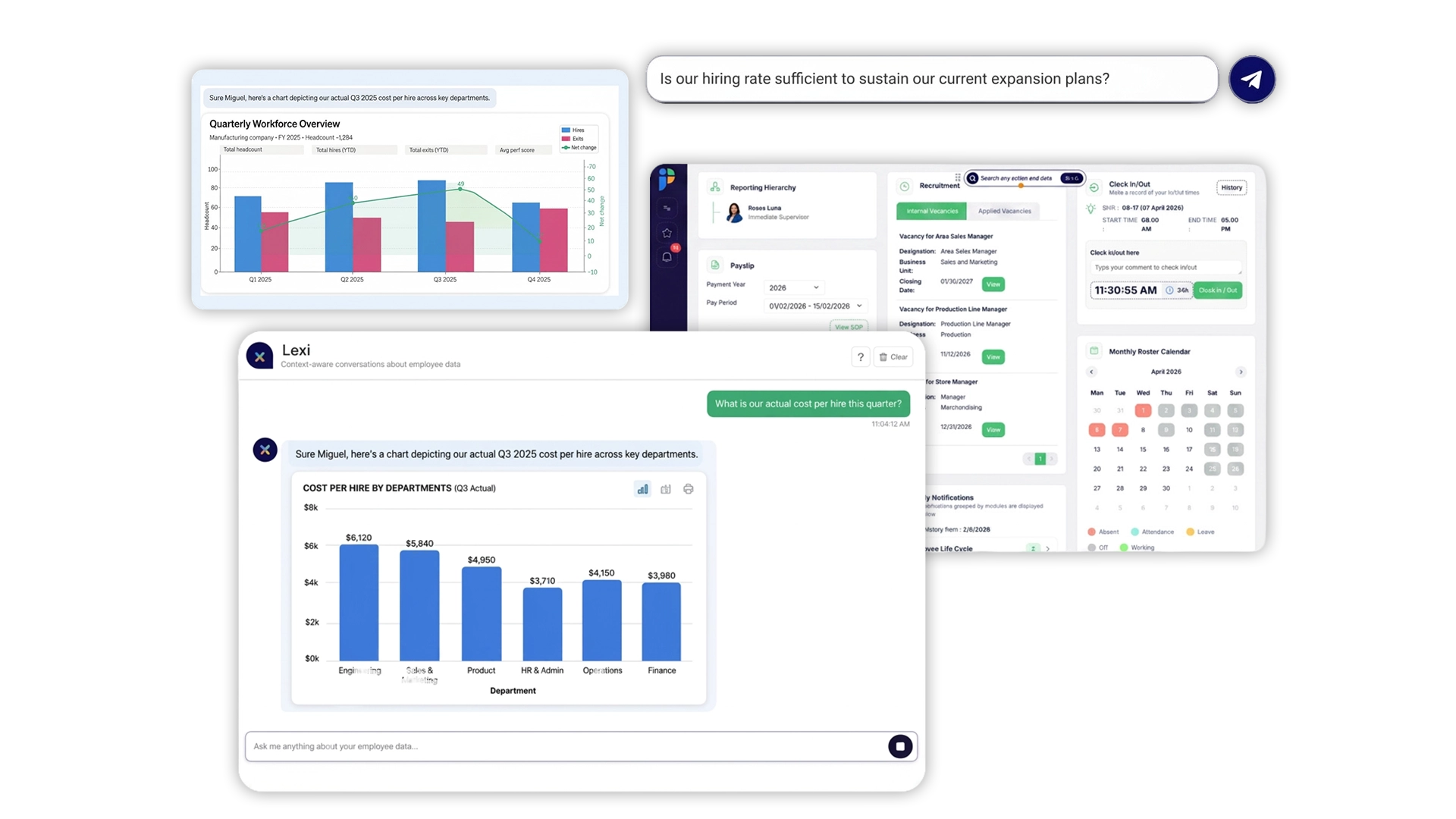
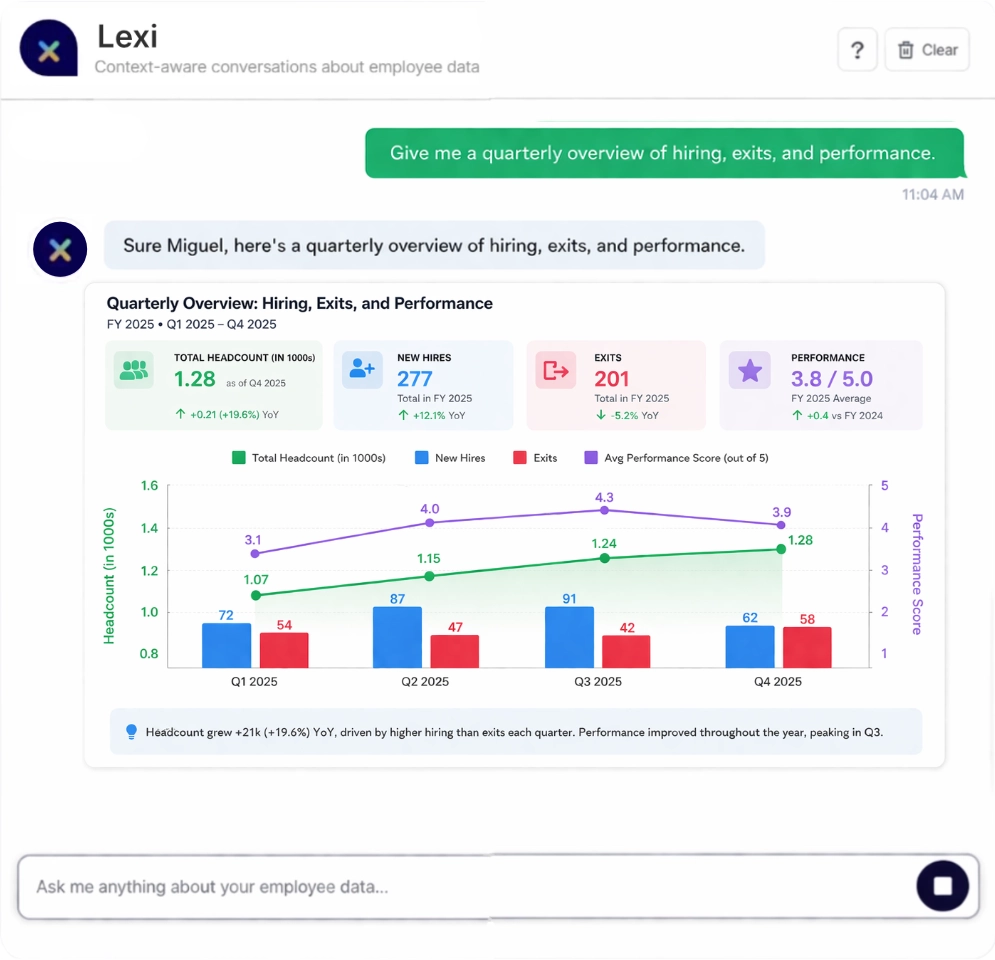
Lexi is PeoplesHR's Agentic AI, built to turn any HR action into a simple conversation.
Lexi doesn't just execute tasks, it thinks at the strategic level your role demands. The kind of intelligence that used to require a team of analysts, now available in a single conversation.
Lexi meets you where you are. Executing for your teams. Thinking strategically for your leaders.
A unified ecosystem designed to scale with your organization's complexity.
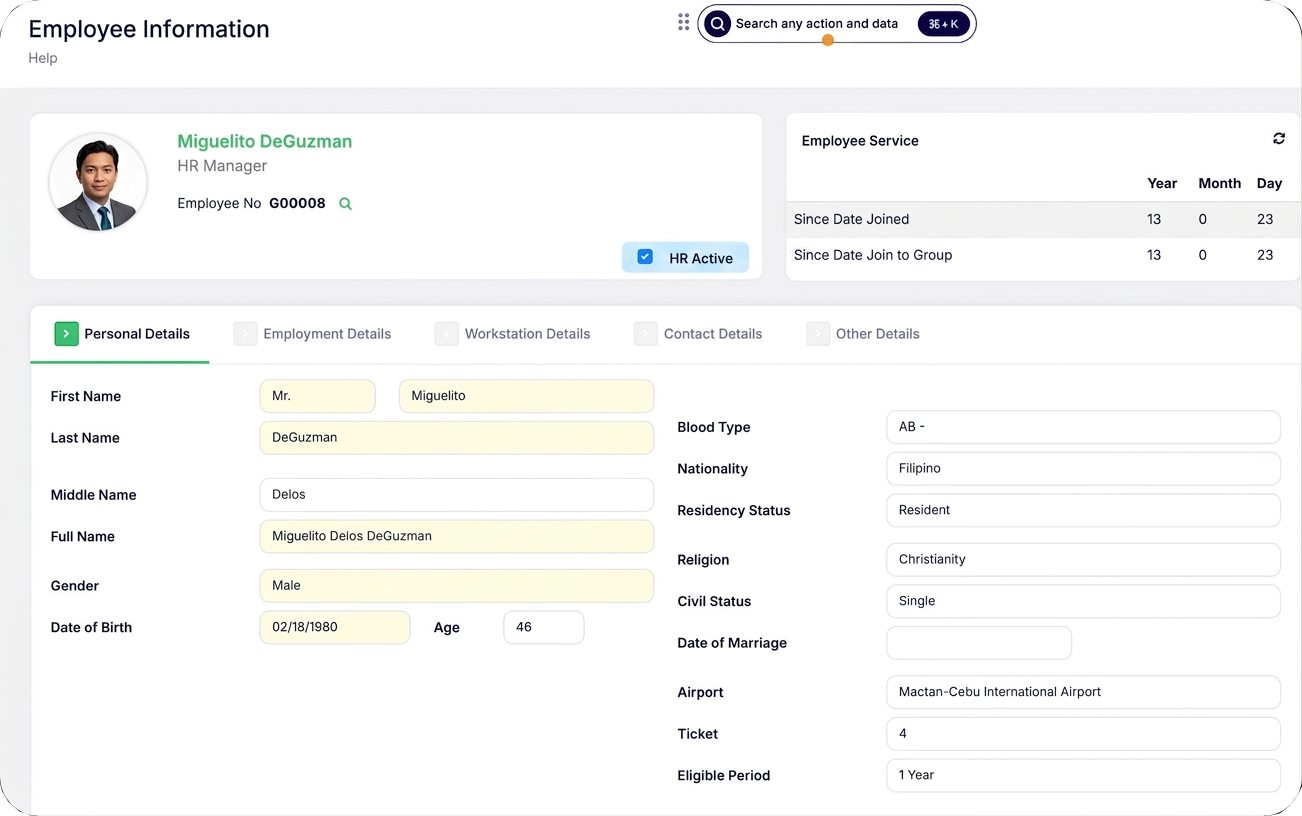
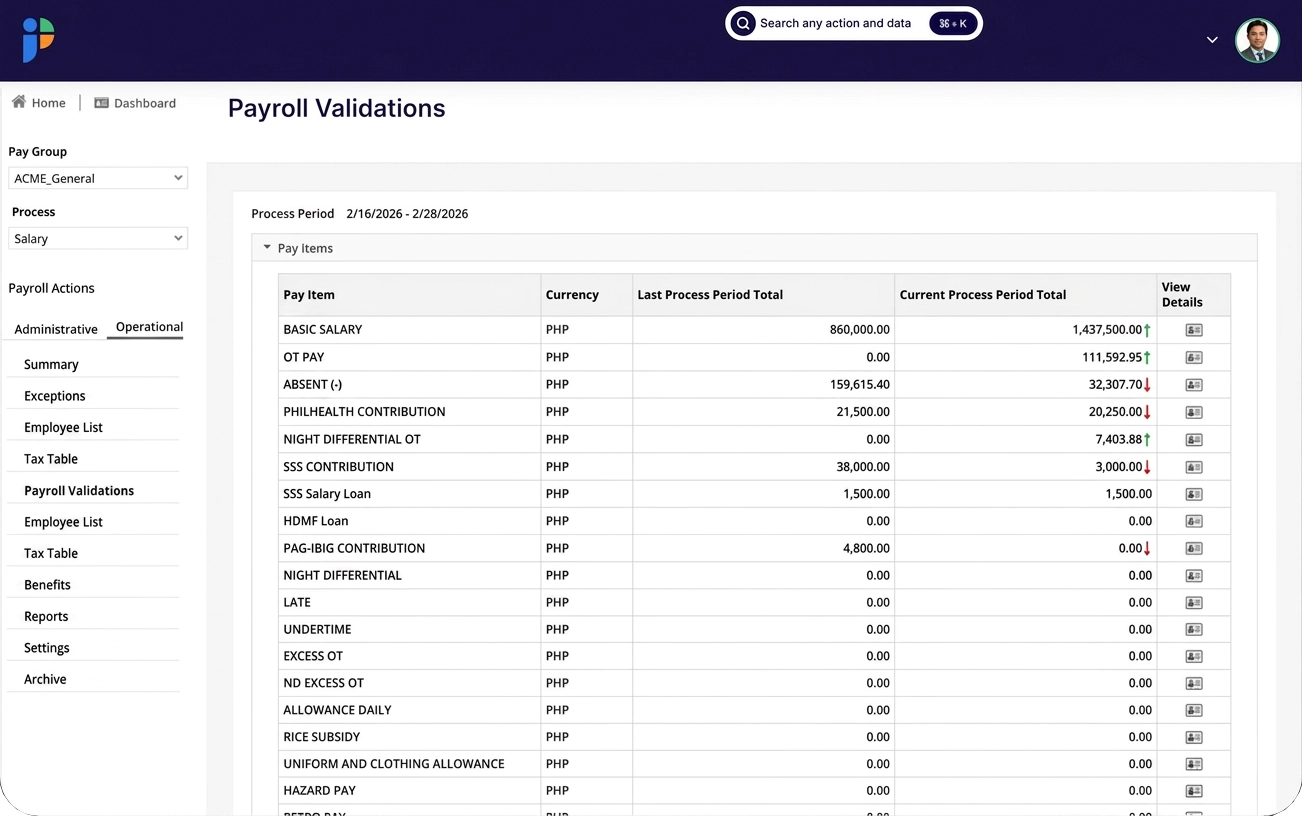
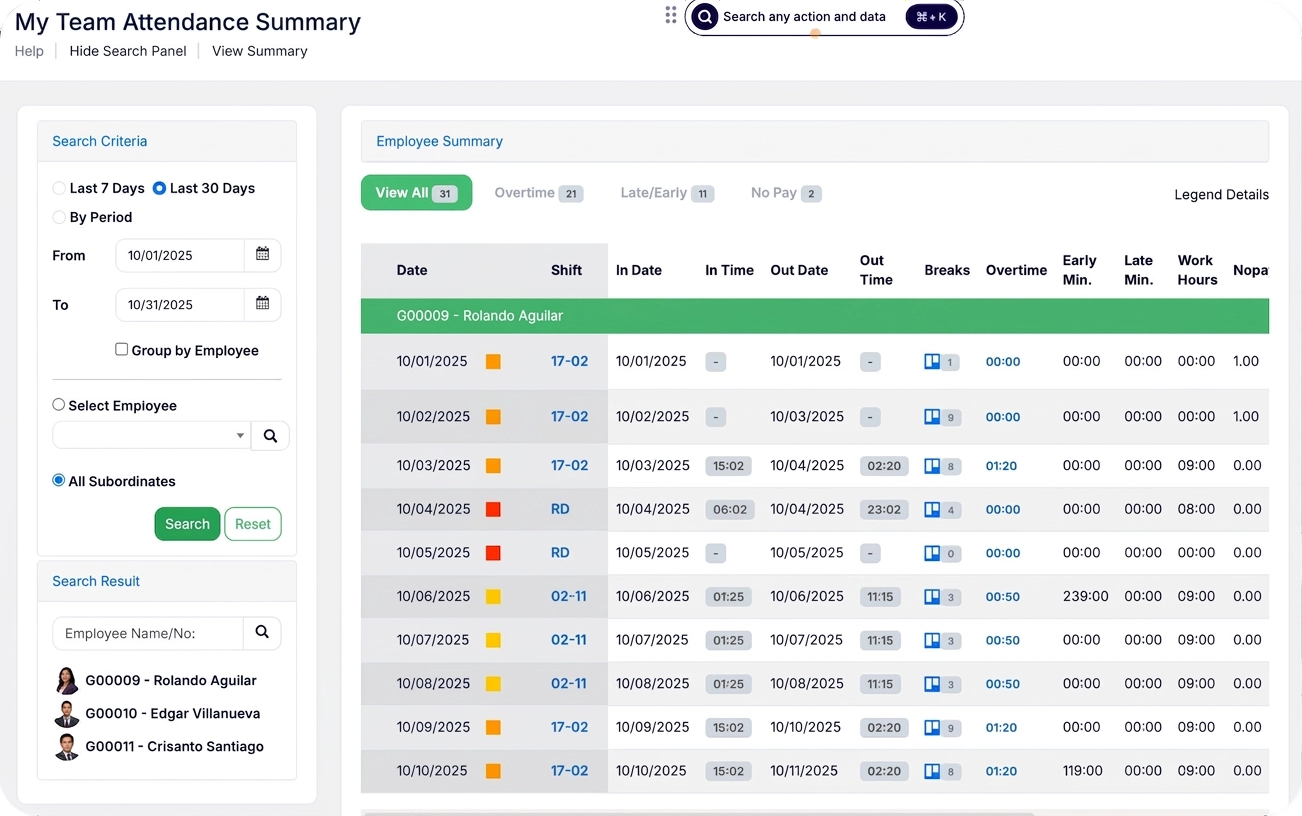
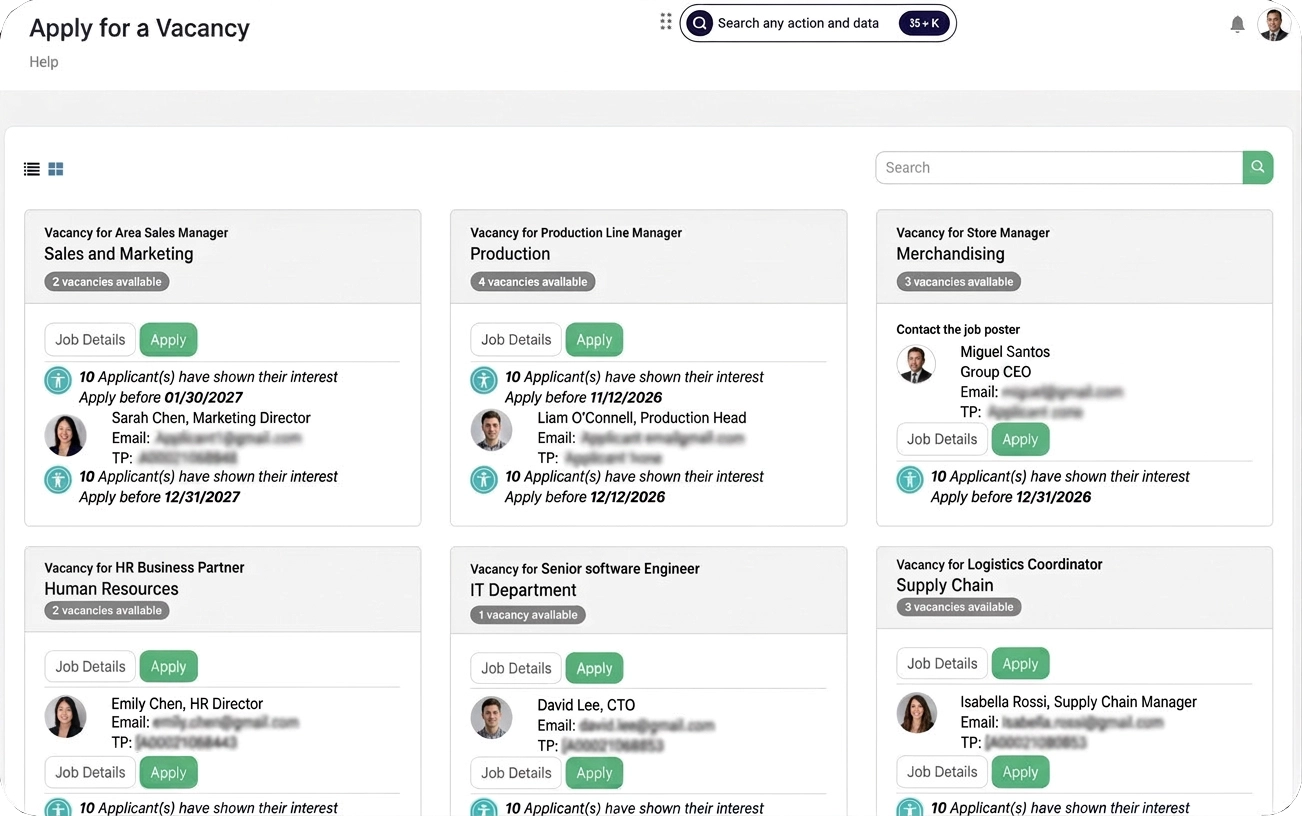
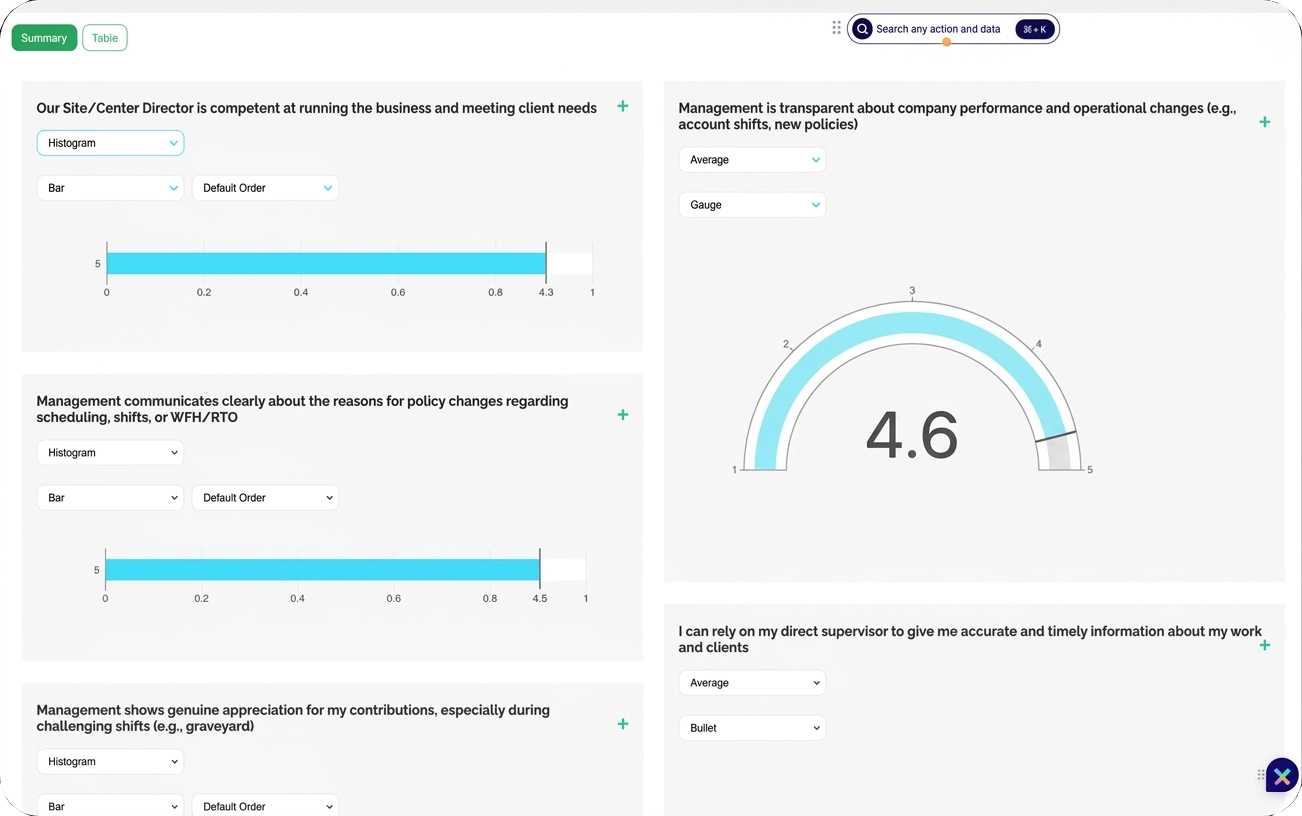
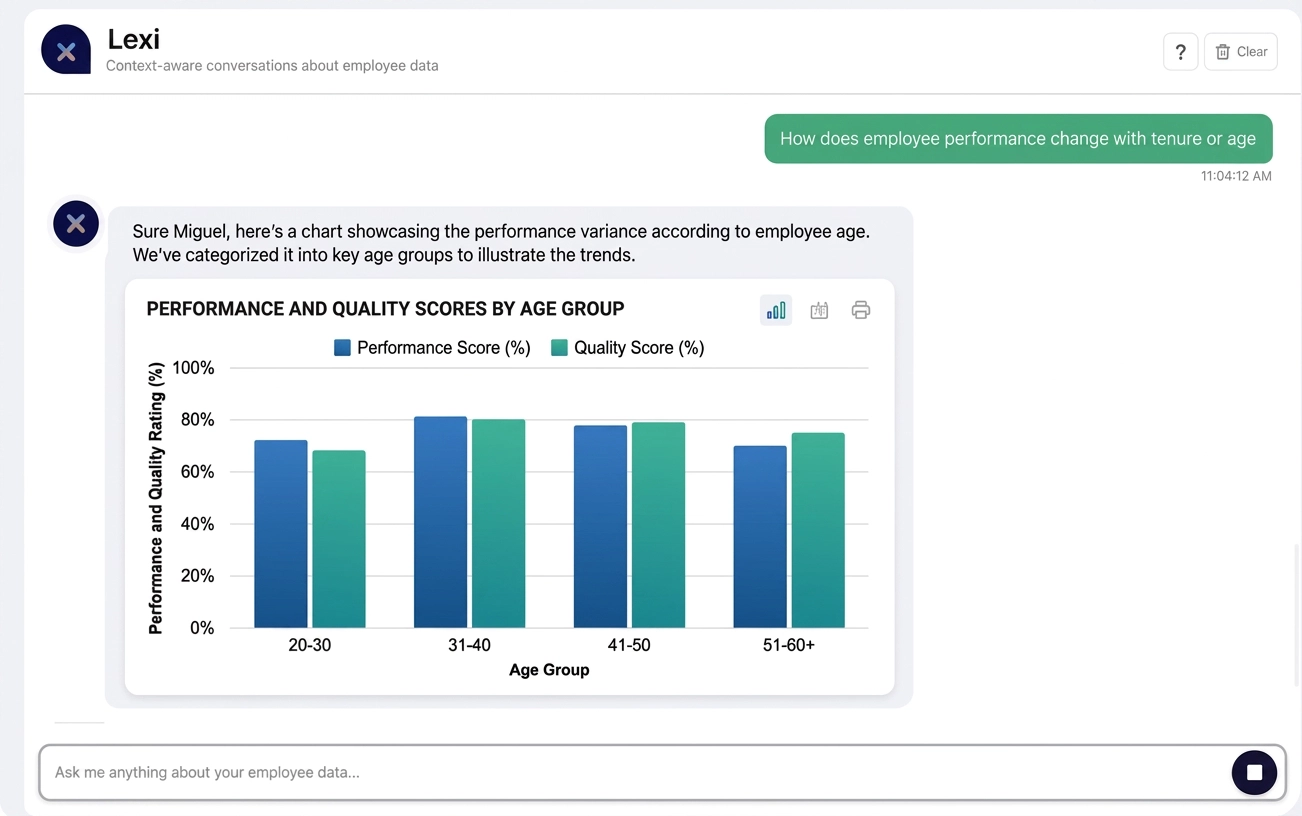
1,700+ companies. 40+ countries. Find your industry below.




Get real-time visibility into labor expenses before they impact your bottom line. See exactly how your people investments drive business performance across every market.
More Info →End payroll surprises forever. Predict budget impact before it hits your P&L, prevent compliance penalties, and get accurate workforce cost forecasting across regions.
More Info →Transform from administrative bottleneck to strategic advantage. Cut hiring cycles and build retention strategies based on data, not guesswork.
More Info →One system that integrates seamlessly with your existing infrastructure. Modern API architecture, pre-built connectors, and low-code platform partnerships.
More Info →From enterprise technology firms to national governments — see how organizations like yours are transforming HR with PeoplesHR.
An enterprise technology solutions provider chose PeoplesHR as their HCM partner — and transformed payroll accuracy, cut processing time dramatically, and gave their people back time that matters.
Read Case Study →Partnering to drive Vision 2040, the Government of Uganda deployed a scalable, interoperable HCM system — delivering accurate, timely HR information for 350,000+ employees across the nation.
Read Case Study →A leading Sri Lankan apparel manufacturer transformed HR operations with PeoplesHR — streamlining processes for 12,000+ employees and creating measurable improvements in employee experience and business performance.
Read Case Study →Explore how companies across 40+ countries are using PeoplesHR to solve their toughest HR challenges.
View All Case Studies →Years of HR Domain Experience
solving the challenges others avoid
We've spent nearly three decades solving the messy, complicated HR challenges that others avoid. That depth of experience is built into every feature, every workflow, and every decision PeoplesHR makes.
Manage around-the-clock operations with multiple shifts, varying skill requirements, and last-minute changes across your entire workforce.
Handle commission structures, performance bonuses, incentive schemes, and complex pay formulas that change based on output, location, or role.
Seamless employee transfers between locations while maintaining complete employment history, benefits continuity, and performance records.
Managing large, diverse workforces across multiple departments, locations, and employment types without losing visibility or control.
Stay compliant with labour laws and statutory requirements across multiple jurisdictions — automatically.
"Partnering with PeoplesHR was a pivotal step in our digital transformation. Moving from manual processes to a fully digital HR system empowered our people — managing attendance, leave, and employee data with greater efficiency while laying the foundation for payroll and performance systems to follow."

"Port City Colombo adopted PeoplesHR in 2019. Being a global company, it's important for our employees to access HR from anywhere. The Mobile app makes it easy to update attendance and leave while working remotely. PeoplesHR has transformed how HR delivers services and enhanced data-driven employee decisions."

"With the recent upgrade to PeoplesHR, we've noticed improved system efficiency. The increased speed and smoother performance have made daily operations easier and provided quicker access across the platform — managing our network of nine collection centers and 140 outlets in Sri Lanka has become more streamlined."

"This transformation represents more than a technology upgrade — it's the realization of our vision for a modern, efficient, and transparent workplace. PeoplesHR helped us create a 'lean culture' that resonates with our diverse, tech-savvy workforce. The results speak for themselves."

"PeoplesHR has been our catalyst for HR and payroll efficiency. Navigating multiple payrolls across African countries was possible thanks to its seamless global functionality. The Performance Management Module brought transparency, and the OTP system ensured top-notch security. It's not just a system — it's our collaborative partner in success."

"The biggest benefit we've seen from a CXO perspective has been the increased confidence and trust employees have within the company. PeoplesHR enables greater transparency — whether it's leave approvals, entitlement balances, or performance reviews. Having everything systemized helps employees perform better."

"I can proudly say we brought significant cost efficiencies to our HR processes. Most importantly, our HR officers now have more time to spend with employees — understanding their needs and engaging in business activities to keep motivation levels higher."

"We discovered PeoplesHR and believe it fits our requirements the best. The implementation streamlined our local operations and was extended to our global offices. PeoplesHR stood out with its effective online global payroll and performance management modules, addressing our specific needs."

"PeoplesHR has catered to the complex, multi-sector HR requirements of our group. We've already rolled out the system in Sierra Leone and Cambodia. Their agility to provide customised solutions alongside continuous innovation has compelled us to continue with them as our HR service provider in our journey towards innovation."

"We are very satisfied to have found PeoplesHR as our trusted HR digital transformation partner. From inception, we received excellent support throughout the project. The team has been responsive whenever called upon. We highly recommend PeoplesHR to any organization looking to streamline their HR processes."

"We highly recommend PeoplesHR to organizations seeking to streamline HR processes and enhance overall efficiency. PeoplesHR has been a game-changer for JDC and we believe it can provide similar benefits to other organizations looking to optimize their HR operations."

PeoplesHR maintains ISO, CSA STAR, and regulatory compliance while earning industry recognition for HR technology leadership.